
image-blaster: Building AI world, One Image, a Walkable Room
Very cool open source function: 30 minutes $30, a 3D world

I spent a Tuesday early morning turning a single picture into a navigable 3D scene. The source was an illustration of a Renaissance anatomist’s study: a man at a writing desk, a hanging skeleton, specimen jars catching light, books open to botanical plates. Forty minutes and a few dollars later, the picture was a place: a Gaussian-splat environment I could fly through, with seven of its objects exported as individual 3D meshes and a loop of ambient sound playing underneath.
This was very cool. Building a 3D anatomical scene or a virtual environment has historically meant a studio, a budget, and a timeline measured in weeks. This pipeline could ostensibly collapses that to one image, a few minutes, and the cost of a coffee (not including Claude max plan which I am on at $100/month).
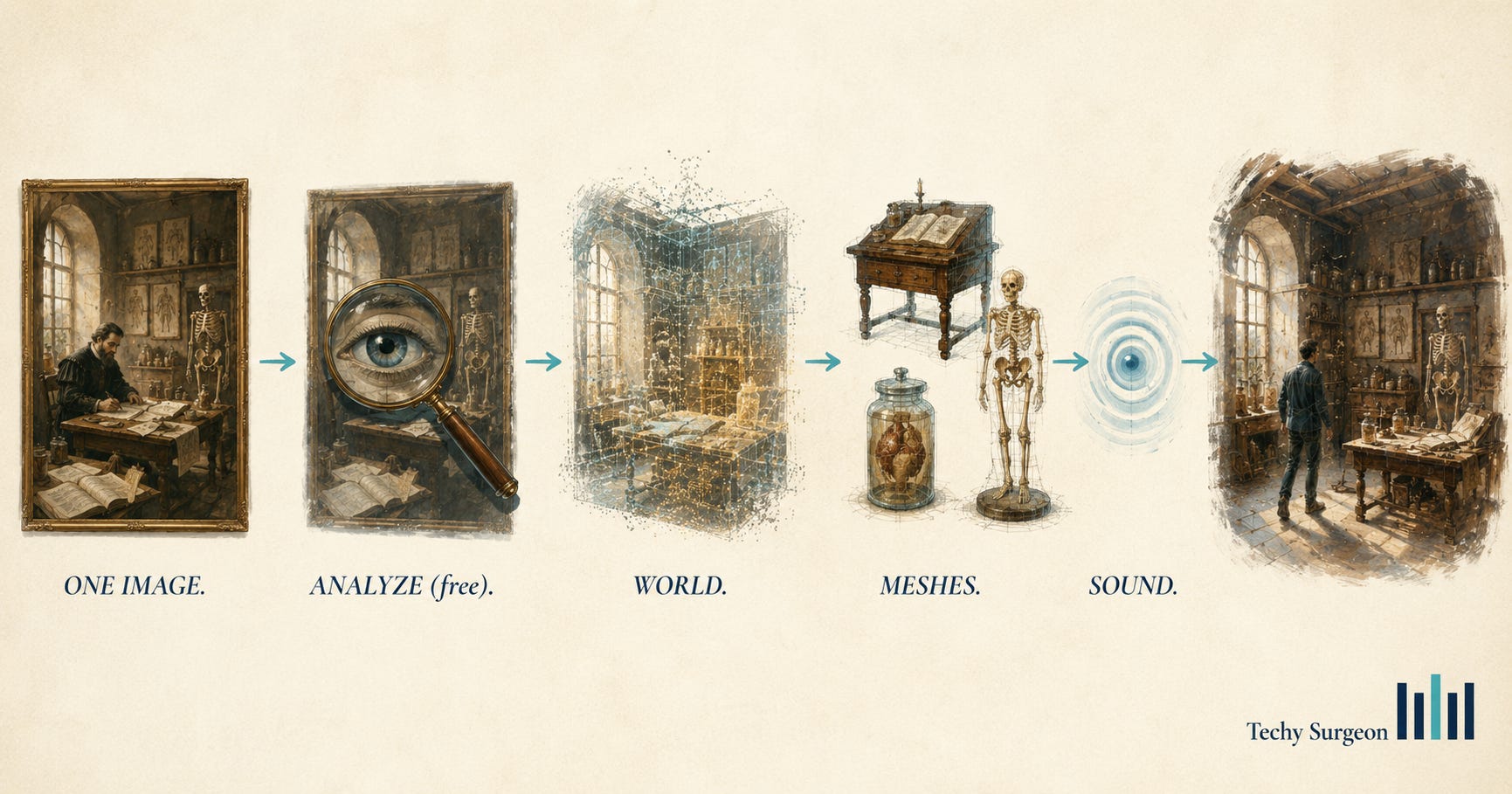
The Choreography
I used image-blaster, an open-source skillset that runs inside Claude Code. The skillset generates nothing on its own. It choreographs four other models, each handling the one task it does well.
. That empty room goes to World Labs‘ Marble model, which reconstructs it as an explorable Gaussian splat. Each erased object is isolated on a white background and sent to Hunyuan3D — running on FAL — which returns a textured mesh. ElevenLabs generates an ambient loop for the room and short impact sounds for each object. The viewer assembles the pieces into a walkable scene.
One image in. A world, a set of props, and a soundscape out.
Below I’ll walk through exactly how I installed it and am putting images into the tool.
